
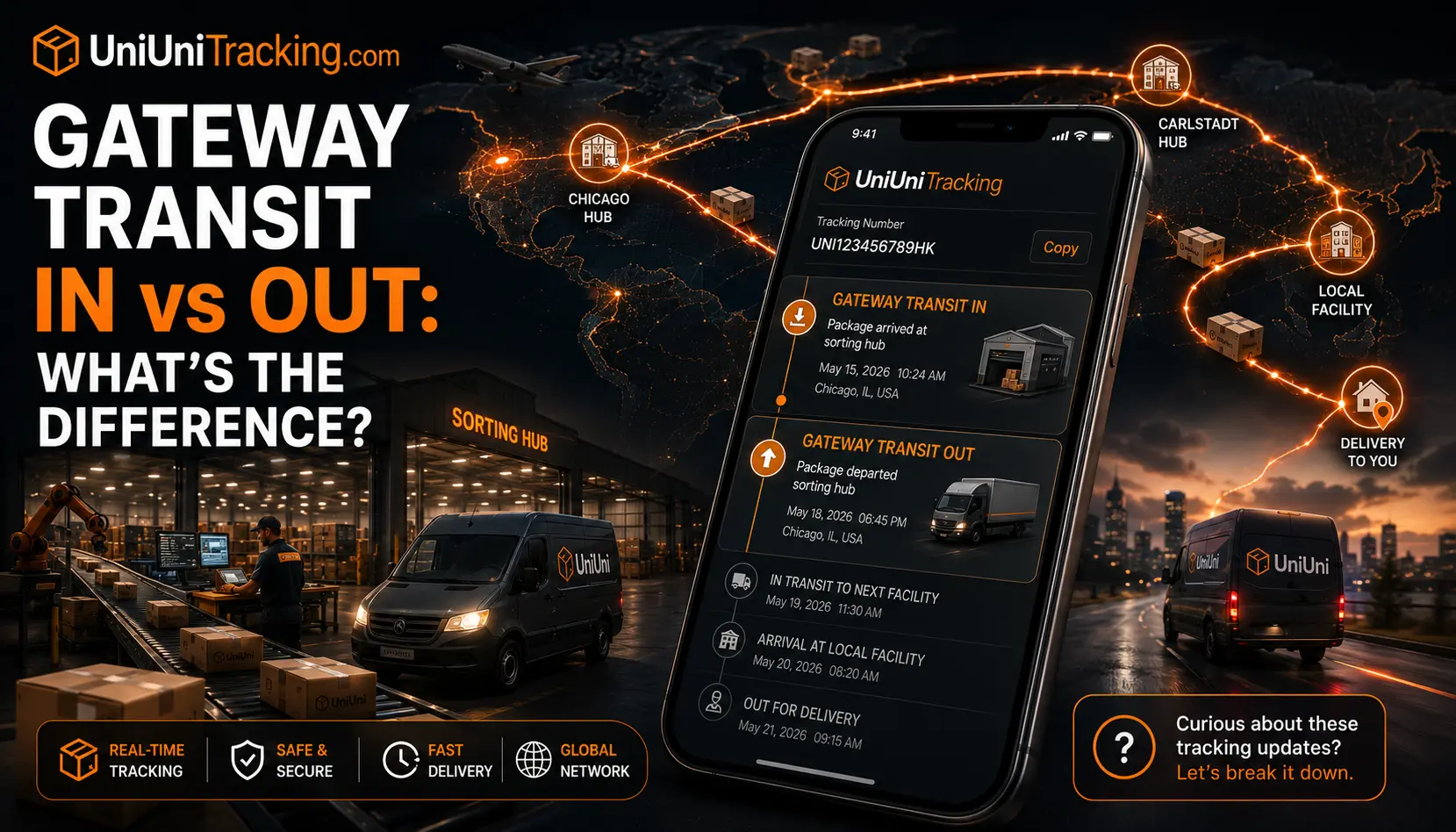
UniUni Gateway Transit In vs Out Meaning Explained: What It Really Means for Your Package?

You’ve been refreshing the tracking page for days, heart racing every time. Suddenly, it shows “Gateway Transit In” or “Gateway Transit Out” on your UniUni shipment. That familiar knot in your stomach hits—is my package stuck? Lost? What does this even mean?
If you shop from Temu, Shein, or similar platforms, you’ve likely seen these statuses. UniUni, a popular last-mile delivery service for cross-border orders, uses “Gateway Transit” as a key milestone in its network. It signals your package has reached a major sorting hub (the “gateway”) for processing before heading to your local area.
In this summary, we’ll break down the gateway transit in meaning UniUni and gateway transit out meaning UniUni, compare the two, share realistic timelines, and give you clear next steps. Whether you’re in the awareness stage of confusion or ready to take action, you’ll leave feeling informed and less anxious. Let’s walk through this together, step by step.
What Does “Gateway Transit” Mean on UniUni Tracking?
Think of “Gateway Transit” like a busy international airport for your package. It’s not the final destination but a critical transfer point where shipments are sorted, scanned, and routed to the next leg of their journey.
UniUni operates a network of regional hubs across the US and Canada. When your package hits one of these gateways, the system logs it as it moves through high-volume processing. This status is common for international orders transitioning to domestic last-mile delivery.
It’s a normal part of the process, not a red flag. Most packages move through it without issues, though updates can feel slow due to the high volume of parcels handled daily.
Gateway Transit In Meaning UniUni – What’s Actually Happening?
Gateway Transit In means your package has arrived at a UniUni sorting facility or major gateway hub and has been scanned upon entry.
Imagine your order coming from overseas or another region. It lands at a central hub, often places like Chicago or Carlstadt, where automated systems and staff sort thousands of packages by destination. This is the moment it officially enters UniUni’s domestic network for final handling.
It can feel “stuck” because scans might pause for 1–3 days while sorting happens. This is completely normal, especially during peak seasons or high-volume periods. Your package is safe and being prepared for the next stage; it’s progress, even if the tracking looks quiet.
For example, many Temu or Shein buyers see this after the initial international leg clears customs. It’s the bridge between long-haul shipping and local delivery.
Gateway Transit Out Meaning UniUni – The Next Step Explained
Gateway Transit Out is the exciting follow-up. It means your package has left the major gateway hub and is on its way to a local facility or delivery team.
This status signals departure from the sorting center. The package is now loaded onto trucks heading toward your area, getting closer to that “Out for Delivery” notification you’ve been waiting for.
The main difference is “In” is arrival and processing; “Out” is departure and progression. Once you see “Out,” delivery is usually within a few days, depending on your location and current workload.
Gateway Transit In vs Out: Side-by-Side Comparison
Here’s a clear breakdown to help you understand at a glance:
Status | Meaning | Typical Duration | What Happens Next | Common Locations |
|---|---|---|---|---|
Gateway Transit In | Package arrived at major sorting hub | 1–3 days (sometimes longer) | Sorting, routing to local area | Chicago, Carlstadt, etc. |
Gateway Transit Out | Package departed the hub toward local delivery | 1–4 days | Moves to local facility or driver | Regional hubs to your city |
Related statuses you might see around this time include “Arrival Scan,” “In Transit to Next Facility,” “Parcel Arrived at UniUni Warehouse,” and eventually “Out for Delivery.”
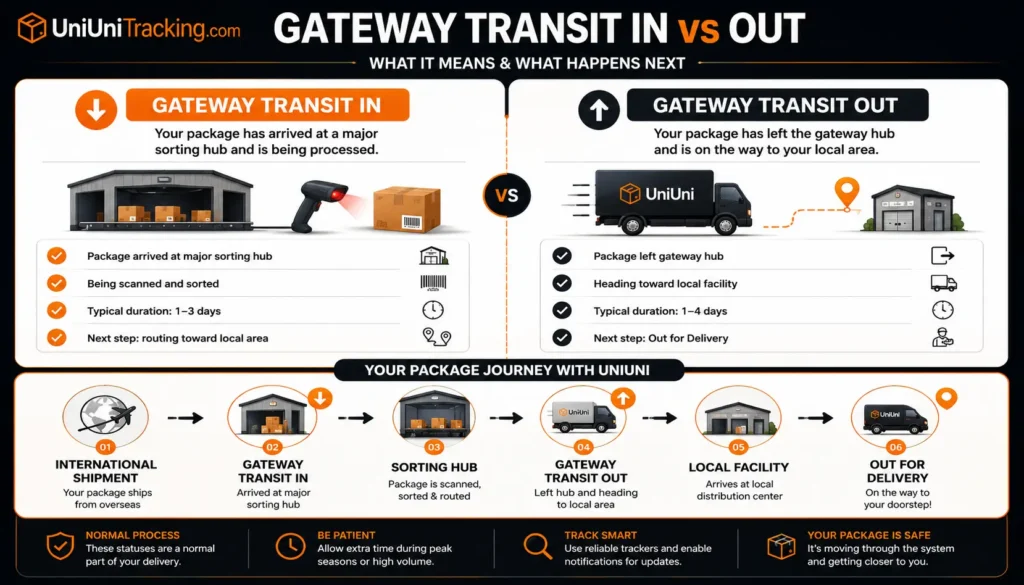
These checkpoints help UniUni manage the massive flow of e-commerce packages efficiently. Understanding them reduces the stress of watching the tracker.
How Long Does Gateway Transit Take with UniUni? Realistic Timelines
Gateway Transit In usually takes 1–3 days on average. Your package arrives at the major sorting hub, gets scanned in, and enters the processing queue. During busy times, it can stretch to 5–7 days, but that’s still within normal range for high-volume periods.
Gateway Transit Out tends to move faster, often 1–4 days. Once the package leaves the hub, it heads toward your local delivery area. Many shoppers see this transition lead to “Out for Delivery” within a week. See what “out for delivery” really means.
Several factors influence these timelines. Peak shopping seasons, holidays, and major hubs like Chicago often see longer waits due to sheer volume. Weather disruptions or address verification issues can add extra days too. Always remember: quiet tracking during this phase is common because of the high number of parcels moving through the system.
Normal vs. Concerning Wait Times:
Why Is My Package Stuck at Gateway Transit UniUni? Common Reasons
Here are the most frequent causes shoppers experience:
One frustrated buyer shared on Reddit, “Mine was stuck in Gateway Transit Out at Chicago for over 10 days… felt like it disappeared.” Another noted: “It sat at Gateway Transit In for a week before suddenly moving—patience paid off.”
The good news? The vast majority of packages eventually move forward. UniUni’s network is built for speed once sorting completes, and most users report successful delivery even after noticeable delays.
Is My UniUni Package Lost If It’s in Gateway Transit?
No, seeing Gateway Transit In or Out does not mean your package is lost. This is one of the biggest fears, but it’s almost always just a normal processing stop in UniUni’s network.
Signs it’s progressing normally include the status changing from In to Out, even if it takes several days. Consistent (even if slow) updates and alignment with your estimated delivery window are positive indicators. Many packages sit quietly at the hub while internal systems work behind the scenes.
Compare this to generic “In Transit”; Gateway Transit is more specific, showing your package has reached a key facility rather than floating somewhere unknown. True loss or major issues are rare and usually flagged differently (e.g., “Return to Sender” or prolonged silence beyond 2–3 weeks).
If it’s been over 14 days with zero progress and your delivery date has passed, that’s when it makes sense to explore next steps. But for most people, this status simply means “your package is in good hands and getting closer.”
What to Do When You See Gateway Transit In or Out on UniUni?
Stay calm. This status is usually a sign of progress, not a problem. Here’s a practical step-by-step plan to stay in control:
Think of it like waiting at a busy train station; your package is queued up, but it will board the right train soon. Patience here prevents unnecessary stress.
How to Track Your UniUni Package More Effectively During This Stage?
During Gateway Transit, single-page refreshing isn’t enough. Bookmark our homepage tracking tool for quick checks and try third-party apps that show more detailed carrier handoffs.
Enable notifications on your preferred tracker so you don’t miss the jump from “In” to “Out.” Many users also join Reddit communities like r/Aliexpress or r/UniUni for real-time reports on specific hubs (e.g., Chicago delays).
For best results, combine official UniUni tracking with our site’s resources. Check our earlier post: How to Track a UniUni Package Step-by-Step.
Preventing Delays & Improving Your UniUni Experience
Smart preparation makes a big difference with UniUni deliveries:
By understanding the system and planning ahead, you’ll turn potential anxiety into smooth deliveries. Most shoppers who stay informed report far better experiences.
Conclusion
“Gateway Transit In” means your package has reached UniUni’s major sorting hub for processing, while “Gateway Transit Out” signals it’s leaving toward your local area. These are normal, expected steps in the delivery journey, not signs of trouble.
With realistic timelines (usually 1–7 days per stage) and the actionable steps above, you can track confidently and reduce worry. Most packages clear this phase successfully and arrive safely.
Have you experienced a long Gateway Transit wait? Share your story in the comments — it helps others feel less alone.
Explore more in the Tracking category, or check the Ultimate UniUni Tracking Guide for deeper insights.