
UniUni Customer Service: What Actually Works in 2026
If you searched for a UniUni customer service phone number, here’s the honest answer up front: there isn’t one right now. UniUni discontinued its published phone lines sometime in the first half of 2026, and its current official support page routes everyone through a chatbot, a support ticket form, and the tracking portal instead. If you’ve found a number anywhere — including, previously, on parts of this site — claiming to be a verified working UniUni line, it’s outdated. This page explains what actually works instead, and how to get a real resolution without wasting time on a number that won’t connect to anything.
What Changed, and When
For a stretch of 2025 into early 2026, UniUni did publish regional phone support lines — separate numbers for Pacific/Mountain and Central/Eastern time zones in both the US and Canada. Those numbers still circulate widely across the internet, including on directories, review sites, and older guides, because they were genuinely real and correct at the time they were published. Sometime before mid-2026, UniUni discontinued that setup: its official support page now lists no phone number at all, only the chatbot, FAQ, and ticket system described below. This isn’t a case of numbers being deliberately hidden or a company avoiding contact — it’s a support-model change that a lot of the internet’s UniUni content simply hasn’t caught up to yet.
The Fastest Real Path: UniUni’s Chatbot
Go directly to UniUni’s official support page and look for the chat window. This is currently UniUni’s most responsive channel — not because it’s more capable than a human agent, but because it can action several common requests immediately, without a queue:
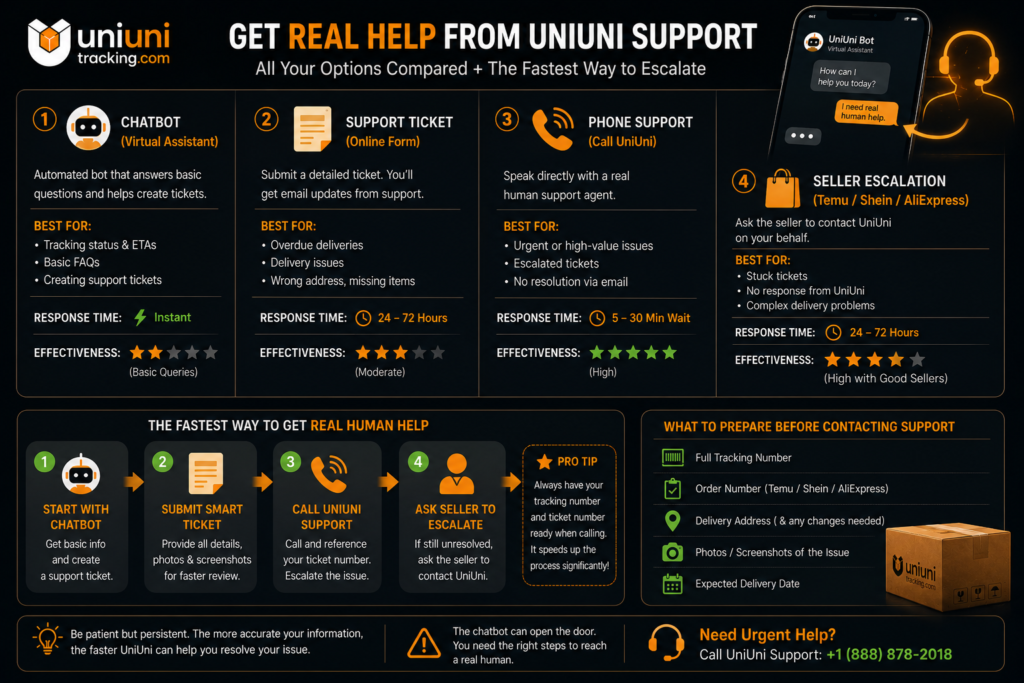
Have your tracking number ready before you start — it’s the first thing you’ll need. Worth knowing going in: this is an automated assistant, not live chat with a human agent. It follows a fairly structured script and works best for the specific, common issues listed above; for anything more unusual, its main job is to route you into a proper support ticket rather than resolve it on the spot.
Submitting a Support Ticket
For anything the chatbot can’t resolve directly, UniUni’s support page includes a ticket form. When you submit one, you’ll be asked to choose a contact reason — options typically include things like Address Correction, Delivery Complaint, and Lost Parcel. Picking the most specific, accurate category matters: a ticket filed under the right reason tends to route to the right team faster than a vague general inquiry.
A few things that make a ticket more likely to get resolved quickly: your tracking number, the specific date and status you’re disputing, and — if your complaint involves a “Delivered” scan with no package present — a screenshot of that status along with a note on where you actually checked (mailroom, porch, with a neighbor) before filing.
What Customer Service Can and Can’t Fix
This is worth being direct about, because a lot of frustration with UniUni’s support comes from expecting it to resolve things that are actually outside its control:
UniUni support can help with: delivery status questions, redelivery scheduling, address or instruction corrections (for deliveries that haven’t happened yet), reporting a driver conduct issue, and formally disputing a “Delivered” status when nothing arrived.
UniUni support cannot help with: the contents of your order — wrong item, missing item from a multi-item order, damaged product, refunds, or returns. UniUni is the delivery carrier, not the seller; anything related to what’s actually inside the box has to go back to the platform or seller you ordered from (Temu, Shein, AliExpress, etc.), not UniUni. This trips people up constantly, because the instinct after a bad delivery experience is to contact the carrier, but the carrier genuinely has no authority over a refund or a return on merchandise it didn’t sell you.
→ If your issue is about a return or refund specifically: UniUni Returns & Refunds
If a Package Shows “Delivered” But You Don’t Have It
This is the single most common reason people end up looking for UniUni customer service, so it’s worth a dedicated process:
Other Contact Channels
UniUni maintains active social media accounts — LinkedIn, Instagram, YouTube, and Facebook — but these function as company communication channels, not reliable customer-support channels; don’t expect a DM to a corporate account to resolve an individual delivery issue faster than the chatbot or ticket system. If you’re specifically trying to reach UniUni about a business matter (a partnership inquiry, a driver application, or a press question) rather than a personal delivery issue, the official support page is still the correct starting point, since it routes different inquiry types appropriately.
Frequently Asked Questions
→ Related: What Is UniUni? · UniUni Package Tracking Guide · UniUni Returns & Refunds